
Puree Help: Ask a Question Without Leaving the Page You're On
By Andrew Hemphill · 5 September 2026
There is a particular kind of small question that comes up while you’re halfway through building a quote. Where do I hide an item from the customer view? What’s the difference between a category and a menu header? How do I stop a package item showing its price? None of these are hard, and all of them have an answer sitting in our help pages. The problem is that going to find it means leaving the page you’re on, which is exactly what you don’t want to do with a half-finished quote in front of you.
So we’ve put help inside the app. Look for the small Help button in the bottom right corner while you’re signed in to Puree in your browser. It opens a panel over your current page, so you can ask a question without navigating away from your work.
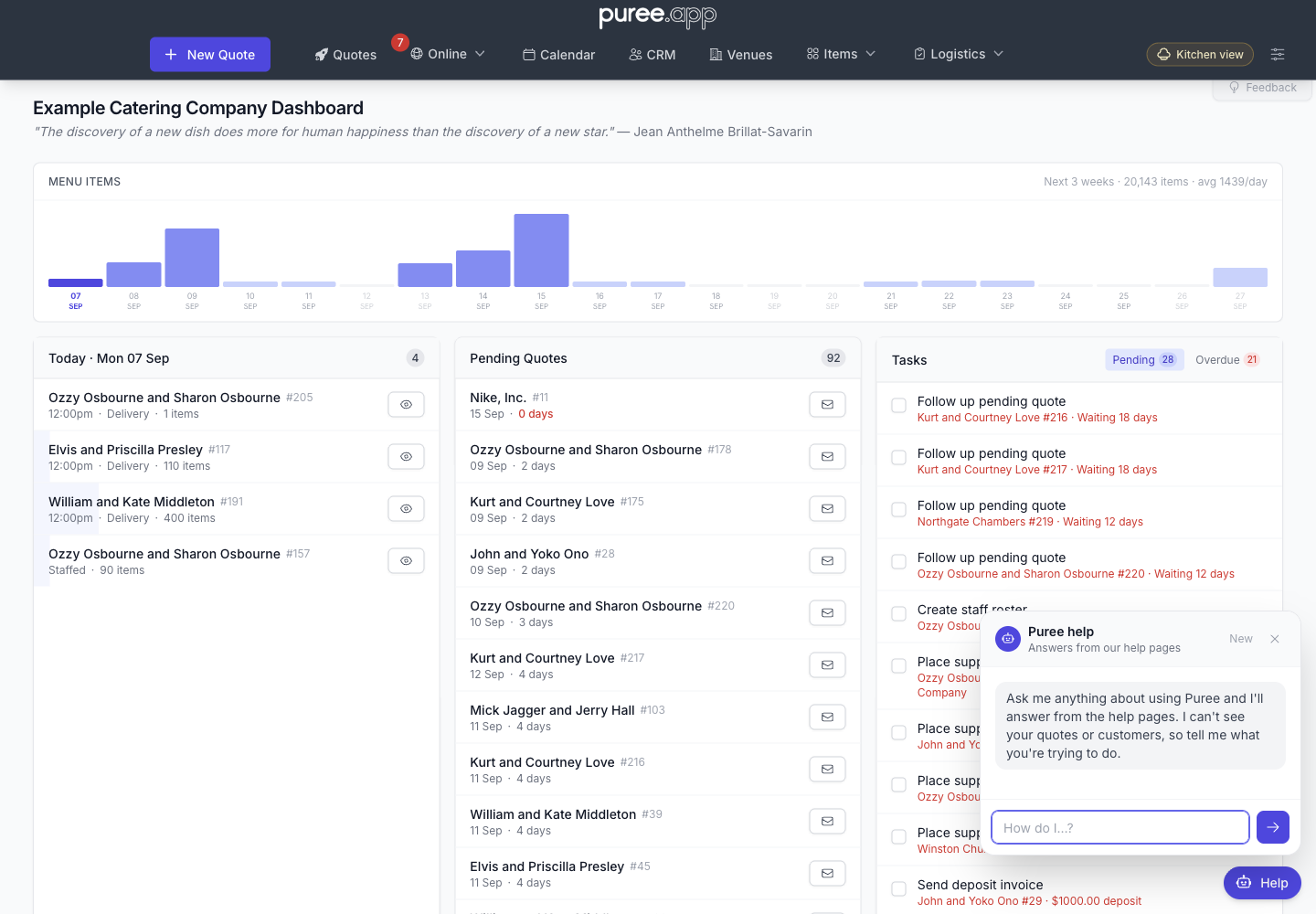 Open Help from your current page. This example uses the Example Catering Company dashboard.
Ask Your First Question
- Click Help in the bottom right corner.
- Type what you’re trying to do in the How do I…? field.
- Press Enter or click the arrow to send. Use Shift+Enter if you need a new line.
- Read the answer and follow any source links underneath it for the full guide. Source links open in a new tab.
Where Its Answers Come From
The assistant uses Puree’s help pages, articles and additional guidance maintained by our team. It is instructed to answer from that material and say when it cannot find an answer. It can still get something wrong, so use the linked guide to check a step that doesn’t match what you see.
It uses the area of Puree you’re on, such as quotes or items, to help find relevant guidance. It does not read the contents of your screen, so name the feature and explain what you’re trying to do. Updates to the published help pages also update the material available to the assistant.
When an answer cites a help page or article, its links appear underneath the reply. Some replies, such as a request for more detail or an answer based on additional team guidance, may not have a public source link.
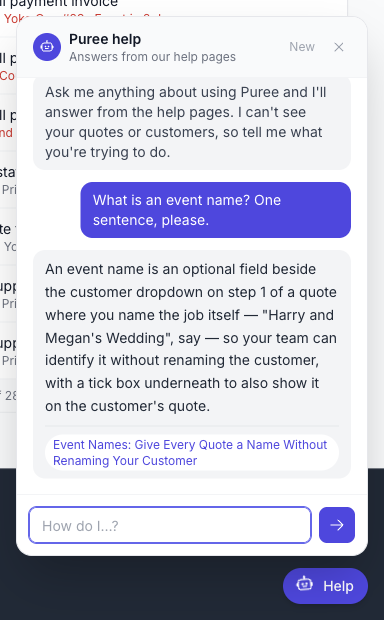 A real answer in the Example Company. Follow the source link to read more about event names.
It cannot look up or change your business records. It cannot count your pending quotes, inspect a customer or edit an order. It receives what you type and recent messages in your help conversation, so you can describe your question without copying customer details into it.
What to Ask It
Ask it the way you’d ask a colleague. Full sentences work better than keywords, because it’s reading your question rather than matching words in it.
- “How do I stop a package item from showing its price on the customer quote?”
- “What’s the difference between a category and a menu header?”
- “A customer wants to cancel five days out. What are my options in Puree?”
- “How do I take a deposit through Stripe?”
- “How do I combine several quotes into one Xero invoice?”
It uses the recent conversation, so you can ask a follow-up without repeating everything. Click New at the top of the panel to start a fresh conversation when you change topics. The close button hides the panel; it doesn’t start a new conversation.
When It Doesn’t Know
If the help material doesn’t cover your question, the assistant is instructed to say so and suggest the Feedback button at the top of the page. Use Feedback if an answer is unclear or doesn’t match the app, or if you need someone to investigate a particular order.
Our team can review help conversations to find gaps and improve the guidance. New resets the conversation used for your next question; it does not delete that support history.
If Help Isn’t Available
If you can’t see the Help button in your signed-in browser, contact us through Feedback. You can also browse the Help Centre or articles directly. If the assistant shows a temporary error or usage-limit message, those pages are still available.