
Resources
Help & articles
Guides, how-tos and news for your catering business.
Help topics
Quotes & Orders
Price on Application (P.O.A)
Show a clear P.O.A on a quote item instead of a blank price, for anything you will cost later.
Show a clear “P.O.A” on a quote item instead of a blank price, for anything you’ll cost later.
What Is Price on Application?
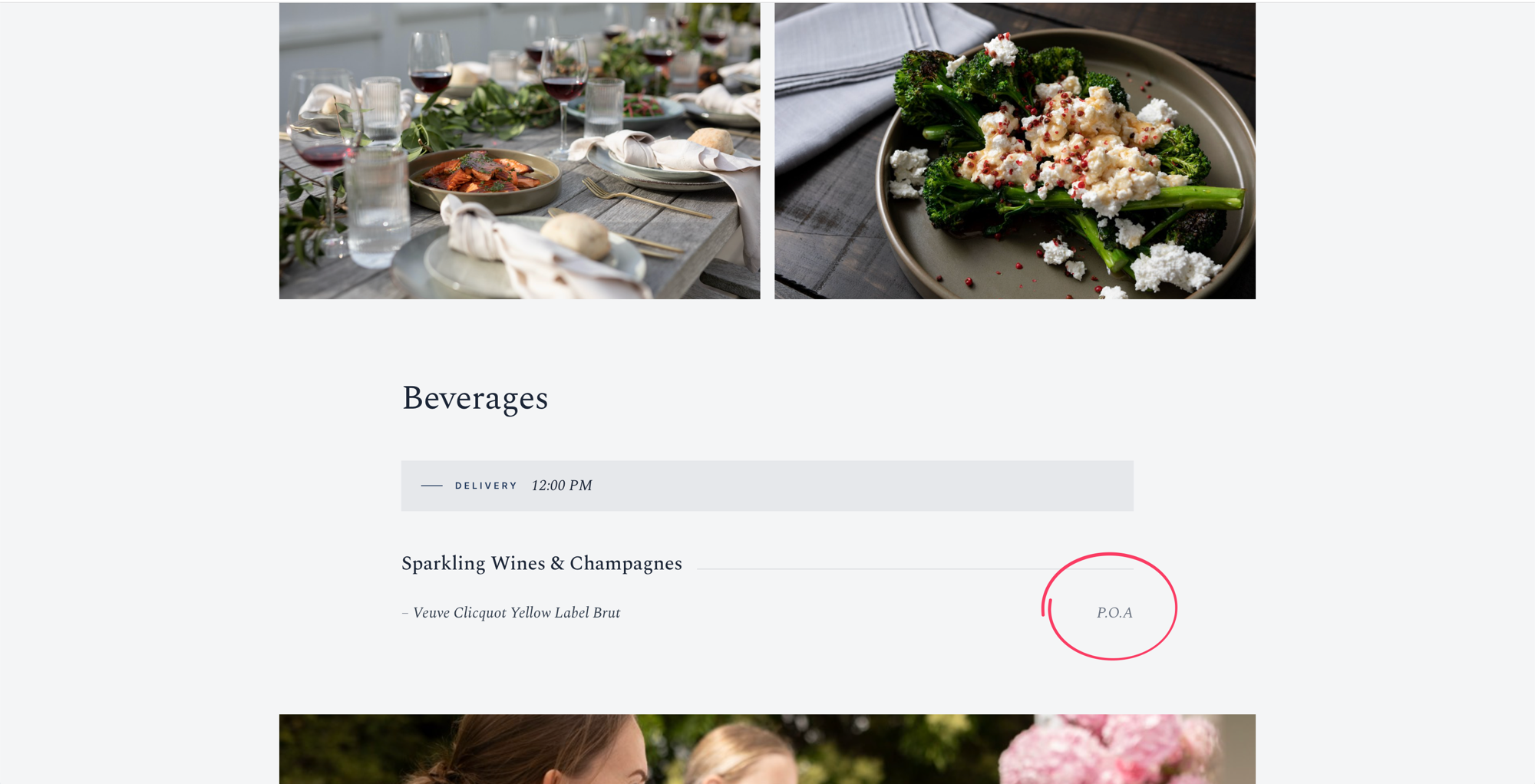
Price on application (P.O.A) lets an item appear on a customer’s quote with “P.O.A” shown in place of a price. It’s for items you want the customer to see but can’t yet put a figure against — a bespoke cake, a market-priced platter, or a specialist hire you’ll confirm with a supplier. Hovering over “P.O.A” on the quote shows a “Price on application” tooltip.
P.O.A Items Are Info-Only Items
P.O.A is an option on Puree’s info-only items. An info-only item is a reference line with no quantity and no charge that stays out of your dockets and reports. Previously an info-only item showed its name with an empty price; the P.O.A option fills that space with “P.O.A” instead of leaving it blank.
Turning It On
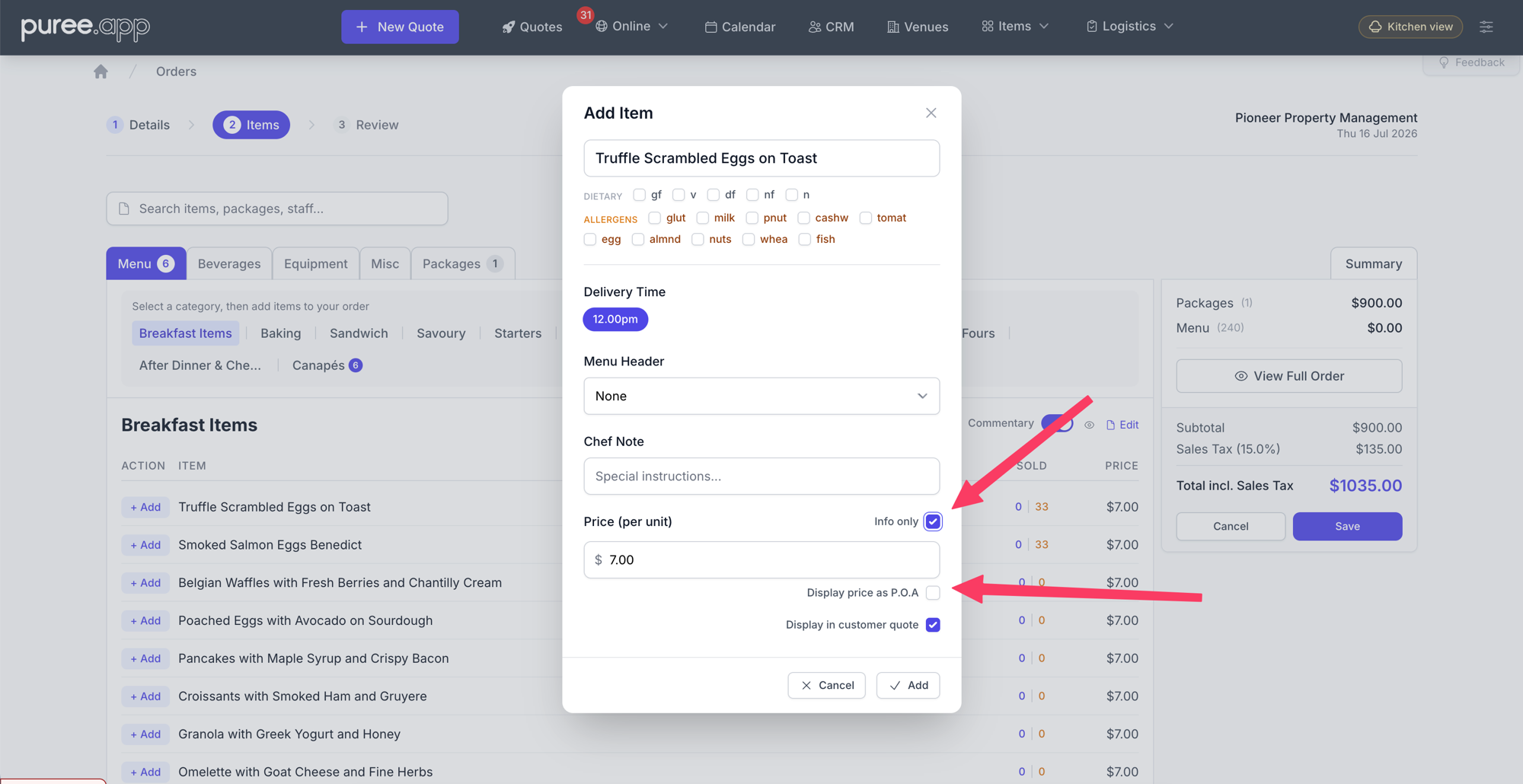
- Add or edit an item on a quote to open the item panel.
- Switch on Info only. The quantity and price fields drop away, since info-only items don’t carry a quantity.
- A sub-toggle appears: Display price as P.O.A. Tick it.
- Add the item. It shows “P.O.A” in the item builder list and on the customer quote.
The Display price as P.O.A toggle only shows once Info only is on, and it switches off automatically if you turn Info only back off.
Where “P.O.A” Appears
- The online (HTML) quote
- The PDF quote (downloaded or emailed)
- Every styled quote template, each in its own style, with the “Price on application” tooltip
Where It Doesn’t Appear
Because every P.O.A item is an info-only item, it’s excluded from all dockets (chef, consolidated, driver, beverage, equipment and the event brief), as well as reports and menus. P.O.A is a customer-facing signal only — it never reaches your operational paperwork.
Good to know: A quote made up entirely of P.O.A / info-only items now saves. You can send a customer an all-“P.O.A” quote while you finalise costings.
P.O.A Packages
P.O.A can also be set at the package level, on a package’s fixed items. When building a package, open the picker for the Fixed items card and switch on All items P.O.A in the footer — every fixed item in that card is then flagged as P.O.A, and the card shows a small P.O.A badge. Flexible choice items are always priced, so P.O.A isn’t offered for them.
If a package is made up entirely of P.O.A fixed items (with no flexible choices), it becomes a P.O.A package, which changes how it’s priced and shown:
- Its Price per Guest is ignored — the package adds no price to the order total.
- It’s left off the Packages section of the quote (the online quote, the PDF, and every styled template) rather than showing a $0.00 line. Its items still appear, each marked “P.O.A”, under their menu headers and categories.
- On the Packages list and the package’s edit screen you’ll see a P.O.A badge, and the edit screen shows a short banner explaining the pricing.
This is ideal for an optional “upgrades” or “on request” package: the customer sees the items are available while you confirm pricing later. If you want the package to carry a price, make sure at least one of its items is a normal (non-P.O.A) item.
Recommended: give your P.O.A items their own Menu Headers — for example “Optional Extras”. Because P.O.A items otherwise sit alongside priced items in the menu, a dedicated header keeps them clearly grouped and reads as a distinct “available on request” section on the quote. Set the header on each item (or as the rule’s default menu header when building the package).
Good Uses
- Bespoke or made-to-order items you’ll price once the brief is confirmed
- Market-priced produce whose cost moves with the season
- Specialist hire or sub-contracted services you need to confirm with a supplier
- Optional upgrades you want the customer to know are available, with pricing on request